My Toolbox for Perfect Cycling Routes: The Best Free Online Route Planners
The cycling season is in full swing and I want to share some of my favorite tools for cycle route planning with you. Over the years, I’ve tested several online route planners, and I’ve settled on a few tools that I use for everything from short gravel loops to ambitious, multi-day mountain adventures.
In this post, I’ll walk you through my go-to tools for planning cycling routes. These are the tools I personally use and recommend, each with its own strengths and features.
# Ditch the Walled Garden
Many cyclists and randonneurs use platforms like Strava or Komoot to plan and share their routes. They offer convenience, but it comes at a cost: we’re living in their “walled garden.” These platforms make it purposefully difficult to control our own routes and data, locking us into their ecosystem (you cannot even download routes other people have created without signing up!).
For example, recently Komoot was sold to a private equity and most of the staff was fired (see “When we get Komooted”). As the new owners try to extract as much value as possible from their purchase (i.e. the platform including the users' data), the platform will likely become more user hostile and deteriorate.
We can opt out of this system: there are fantastic, free online tools that not only give you back control but also offer vastly superior route planning features compared to the big platforms. The key is embracing open standards: these tools allow you to export your planned routes as GPX files, which is a universal format that is essentially a series of GPS points forming a track. You can download your GPX file, own it forever, and use it on any cycling computer, phone, or mapping software you choose. You are in control.
Without further philosophizing, let’s get to the point of this post and dive into the tools that allow us to remain in control.
# GPX.Studio
First up is GPX.Studio. This has become my default tool for most of my route planning because it strikes a fantastic balance between a user-friendly interface and a powerful feature set.
What I particularly love about GPX.Studio is its ability to manage multiple routes in a single session. This was a game-changer when I was planning my Route des Grandes Alpes trip in 2023 (and several times since then). I could lay out each day’s stage as a separate segment, see the whole tour at a glance, and adjust the start and end points to balance the efforts and find suitable accommodations.
The default map layer is also incredibly helpful, providing clear visual information that enables you to build better routes.
Screenshot of GPX.Studio showing a multi-day cycling route planned across the Alps, with different days shown as different colored lines
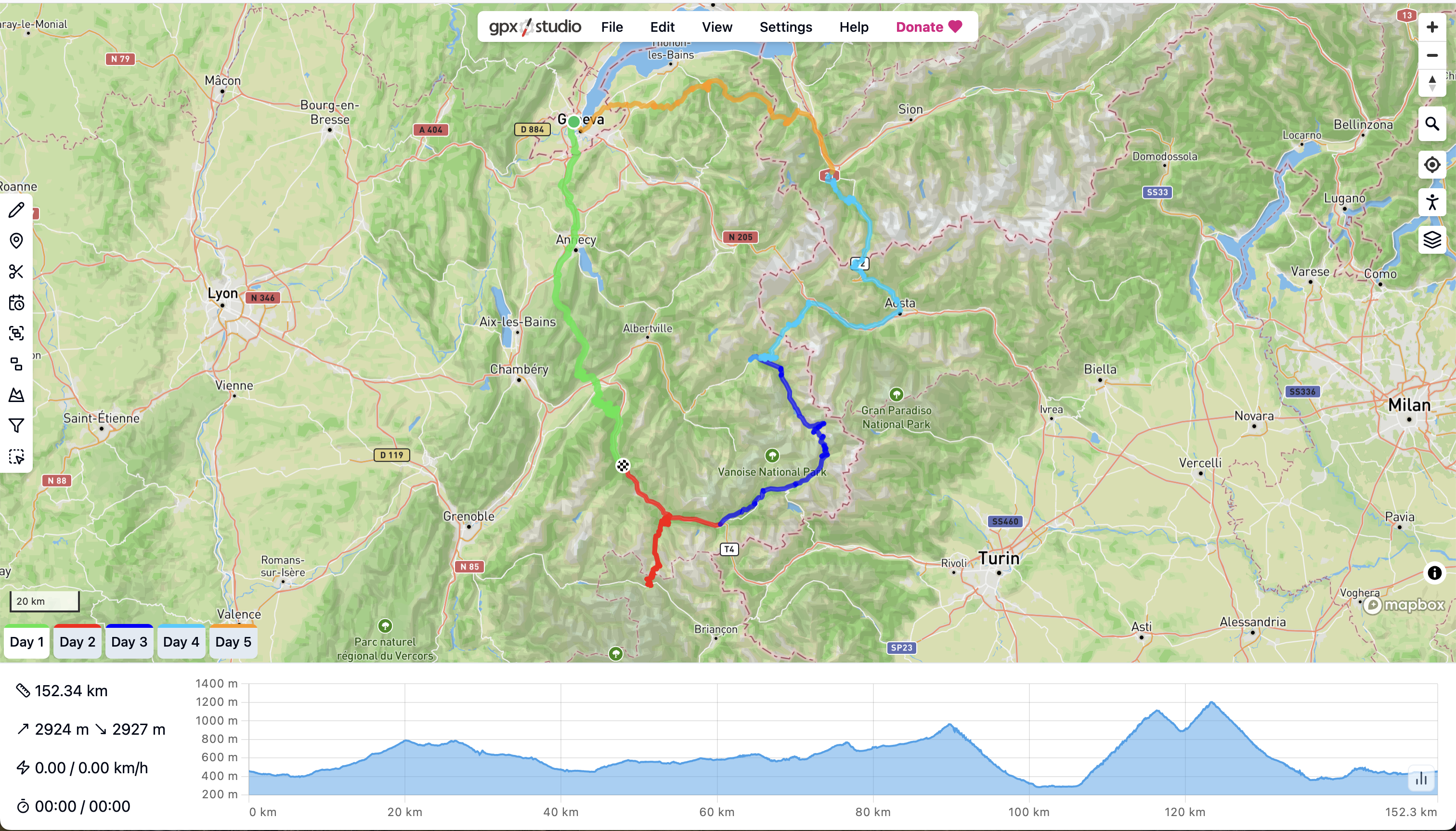
Pro Tip: Use the “Add POI” feature to mark potential food stops or viewpoints directly on your map.
# Cycle.Travel
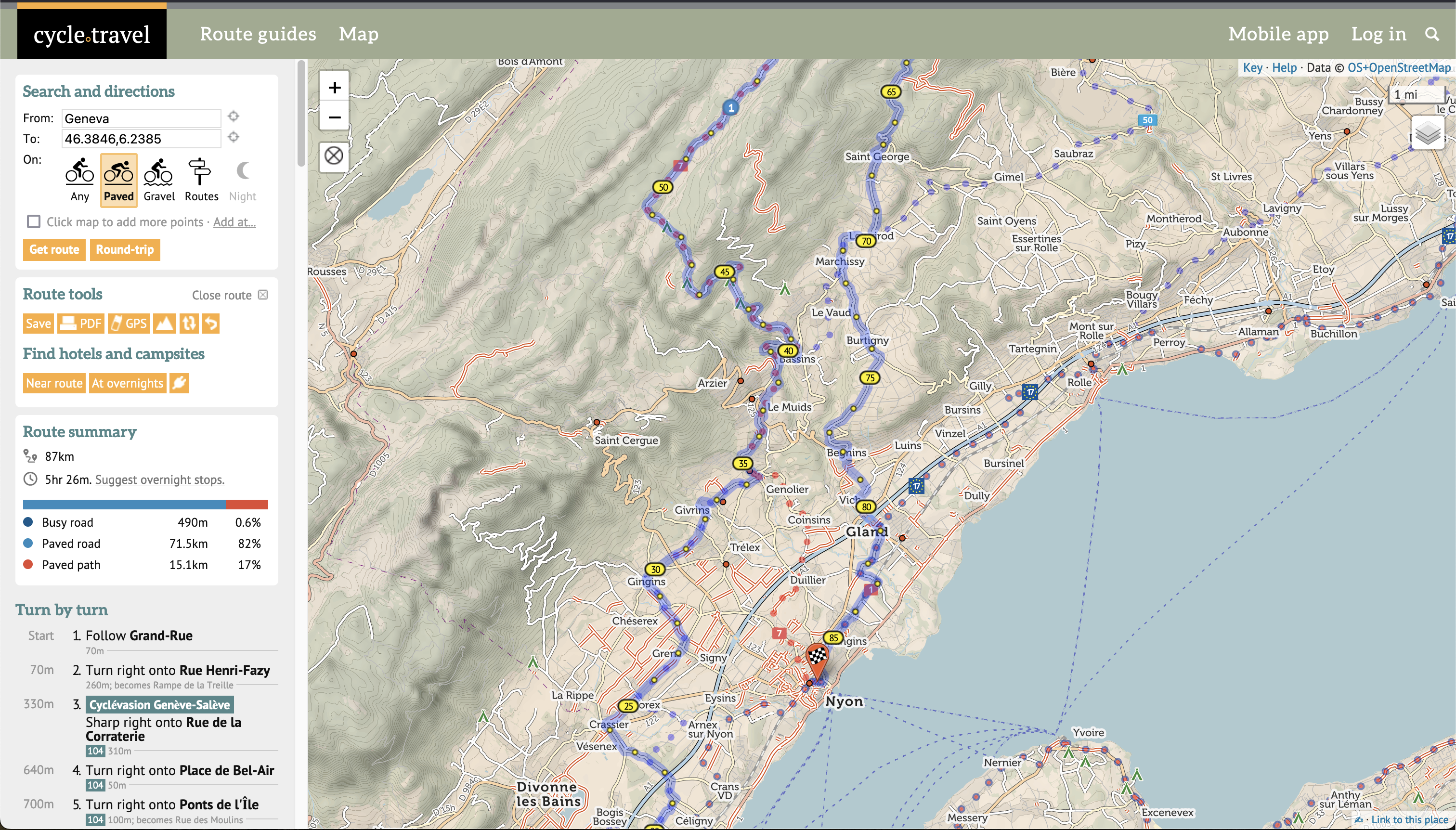
If your priority is finding the most enjoyable and safe roads, look no further than Cycle.Travel. This tool is built from the ground up for bicycle touring, and its routing engine is phenomenal. It intelligently prioritizes dedicated cycling paths and quiet country lanes, actively steering you away from busy, unpleasant roads.
The map itself is a treasure trove of information for the touring cyclist. It highlights useful points of interest like public restrooms, water fountains, and bike shops.
In addition, Cycle.Travel also has a feature that suggests overnight stops, which could be useful for some. Personally, I prefer to research and book my own accommodation, but it shows how focused the tool is on the touring experience. And don’t forget to check out their curated route guides for some excellent, pre-built adventures.
# BikeRouter.de
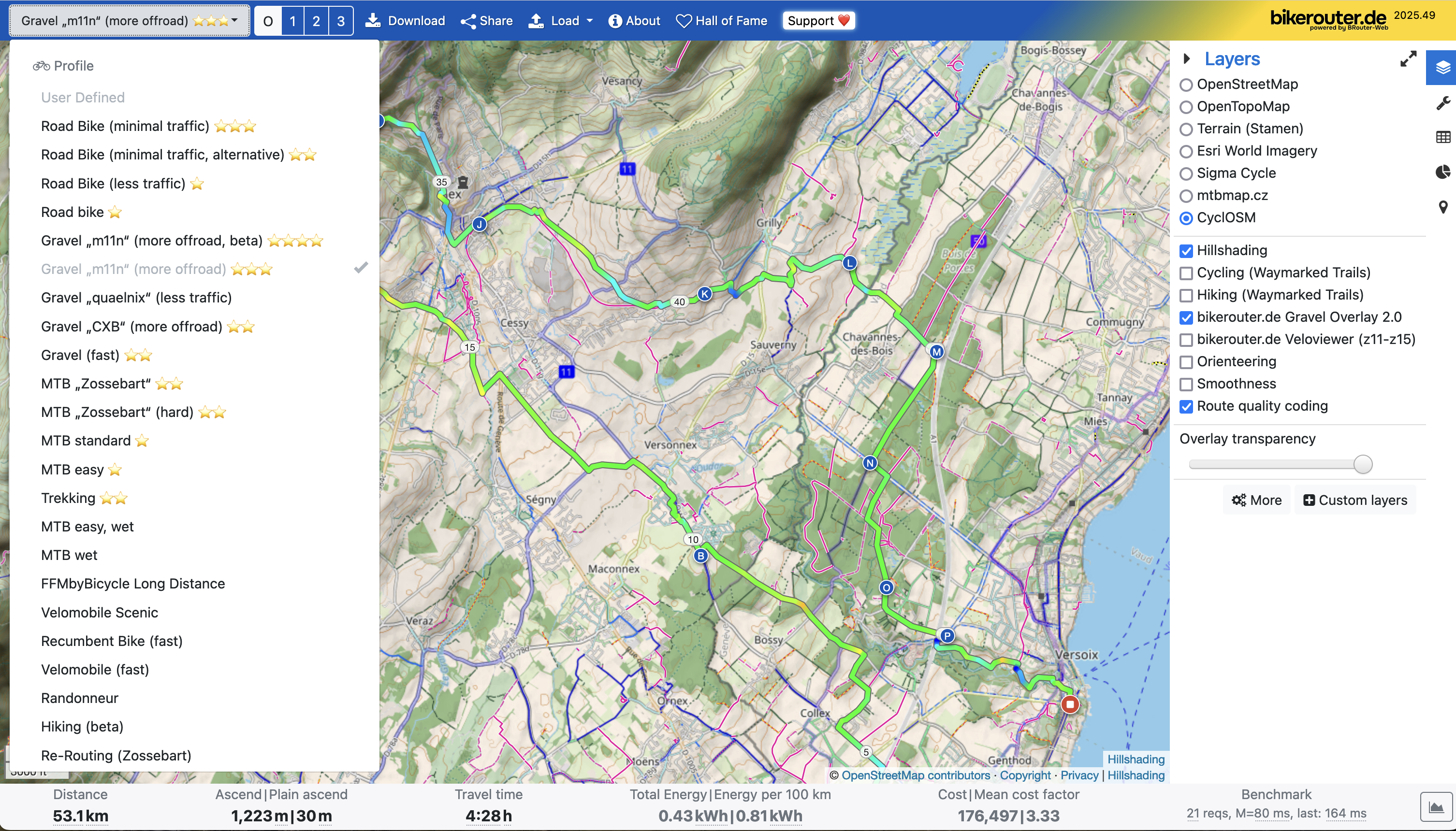
BikeRouter.de is a power-users' dream. I only discovered it recently, but it immediately earned a spot in my toolbox. I’ll be honest: its interface isn’t as polished as the others. It feels more like a powerful command-line tool than a slick modern web app. But what it lacks in polish, it more than makes up for in raw power and customizability.
BikeRouter offers a dizzying array of routing profiles (e.g., road, gravel, MTB, prefer flat, avoid main roads) and map overlays. You can overlay heatmaps of popular cycling routes, highlight official trail networks, or even display detailed information about road surfaces. It allows you to fine-tune your route with a level of precision that no other tool I’ve seen can match.
Screenshot of planning a gravel tour with BikeRouter: a plethora of routing algorithms on the left, different map layers and map overlays on the right side
# Climbfinder
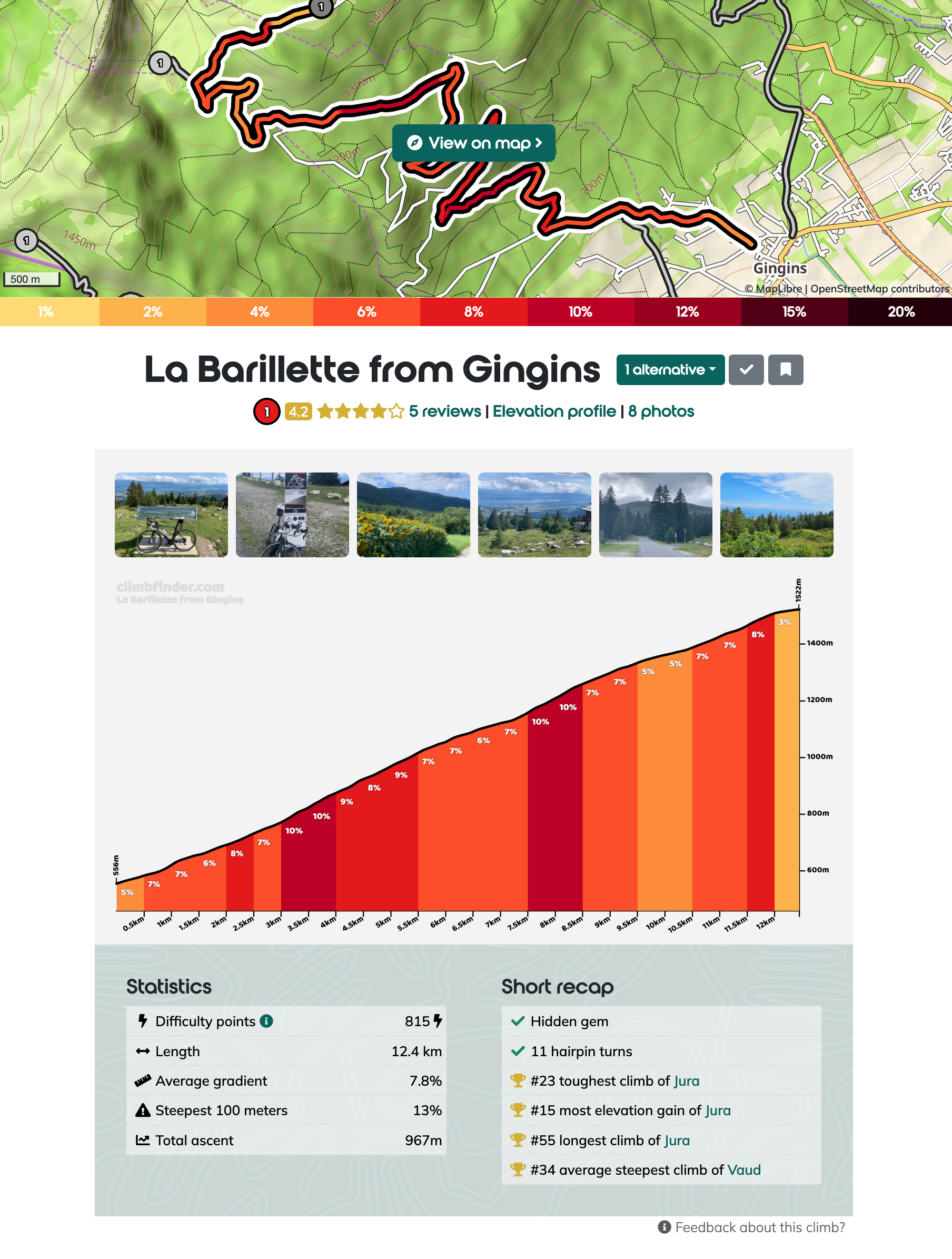
The final tool isn’t a route planner, but it’s an indispensable resource for anyone who loves climbing: Climbfinder. When you’re planning a trip in the mountains, a map can be deceiving. A road might look like a simple line with a couple of twists and turns, but in reality it could be a grueling 10-kilometer ascent with a 10% average gradient. Or maybe you’re like me and you’re actively looking for these climbs.
Climbfinder is an extensive, community-sourced database of climbs from all over the world. For any given climb, you can find a detailed profile with length, altitude gain, and a gradient chart that shows you exactly where the steepest sections are. This helps you prepare mentally and physically for what lies ahead. It also includes practical information like road surface quality, user photos, and reviews. When planning my Grandes Alpes trip, I used it to understand the profile of every major col (mountain pass). Check out the pages for the famous climbs of Col du Galibier or the mighty Passo dello Stelvio.
Statistics about local climb ‘La Barillette’ on Climbfinder
# Bonus: Phone Apps with Offline Maps
Planning your route is one thing, but things on the road rarely go exactly as planned. A road can be blocked, your bike might have a mechanical or a storm might be brewing above.
This is where a powerful offline map on your phone is essential: you can download the map section (e.g. “Switzerland” or “Lake Geneva region”) ahead of time and then have them always available on your phone, even when you are in a remote mountain valley without cell service.
Also, the data from OpenStreetMap is often far more detailed than commercial alternatives like Google Maps, showing water fountains, public restrooms and other points of interest that are invaluable to a cyclist.
Here are two fantastic options that I recommend, depending on your needs.
# CoMaps
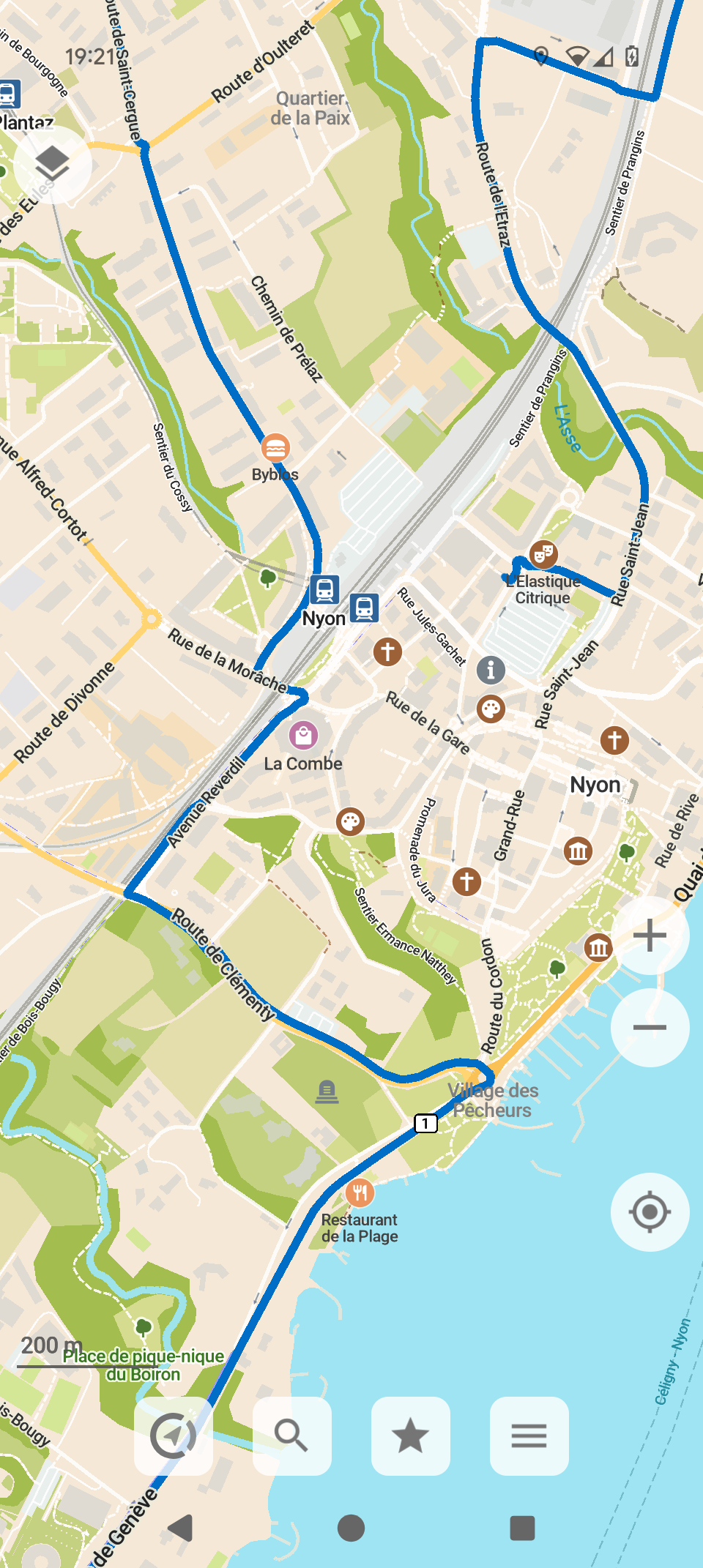
If you want a no-fuss, easy-to-use map on your phone, CoMaps is an excellent choice. It’s available via Apple App Store, Google Play Store and F-Droid, based on OpenStreetMap data and most importantly allows you to download maps for offline use. It even has features that let users collaborate on creating and editing maps, staying true to the open-source spirit. It does the basics, and it does them well.
Screenshot of CoMaps Android App with a planned route (blue line)
# OsmAnd
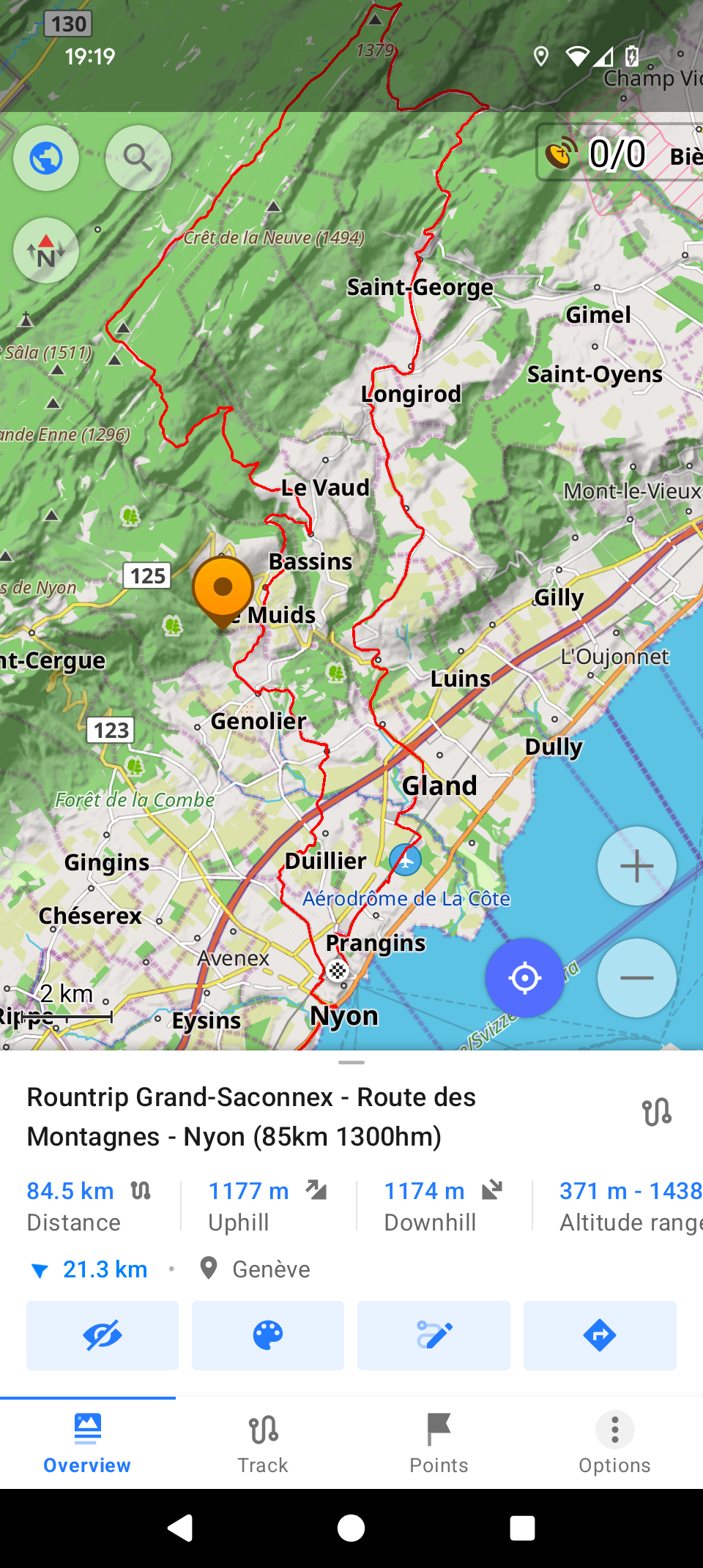
For those who want a digital Swiss Army knife for mobile navigation, there is OsmAnd. This app is a powerhouse, absolutely packed with every conceivable feature and configuration setting. It’s available from the Apple App Store, Google Play Store and F-Droid. Just like CoMaps, it uses the rich OpenStreetMap database with full offline capabilities. But it goes much further: OsmAnd provides turn-by-turn navigation, lets you manage and display your GPX tracks, and offers advanced features that are a dream for mountain explorers.
However, it also requires a PhD to understand and use the app, so I definitely recommend spending some time with it before relying on it for a big trip.
Screenshot of OsmAnd Android App with a planned route (red line)
# Support
It’s incredible that every single tool I’ve mentioned in this post is available for free. They are passion projects built by individuals or small teams who want to create something valuable for the community.
However, “free” to use doesn’t mean they are free to build and operate. Running servers, paying for data hosting, and dedicating countless hours to development all have real costs. These projects are sustainable only because of the support they receive from users like us.
If you find any of these tools useful, I strongly encourage you to look for a “Donate,” “Support,” or “Sponsor” link on their websites. Sending a few bucks their way is like buying the developer a pre-ride coffee or post-ride beer to say thanks. It’s a small gesture that helps ensure these fantastic resources remain independent, ad-free, and available for everyone to enjoy.
# Where are you going next?
We have covered various online and mobile tools for routing and navigation: some are simple, others are complex. Give them a try for your next ride, whether it’s a local loop or a multi-day adventure. The right plan makes all the difference, letting you focus on what really matters: pedaling, exploring, and enjoying the view from the top.
I would also love to hear from you if you have other suggestions or hidden gems that you’d like to share.
Happy planning and riding!